Choose a decision
Closed findings can be reopened. Confirming a discrepancy does not approve the drawing for fabrication.
Add useful notes
Use Reviewer note to record context, then Save note. A good note identifies the relevant revision, sheet, detail, and supporting clarification. Example: “Checked S-101 revision A and SD-101 revision 01. C-04 shows four bolts; reference requires six. Request a corrected detail.”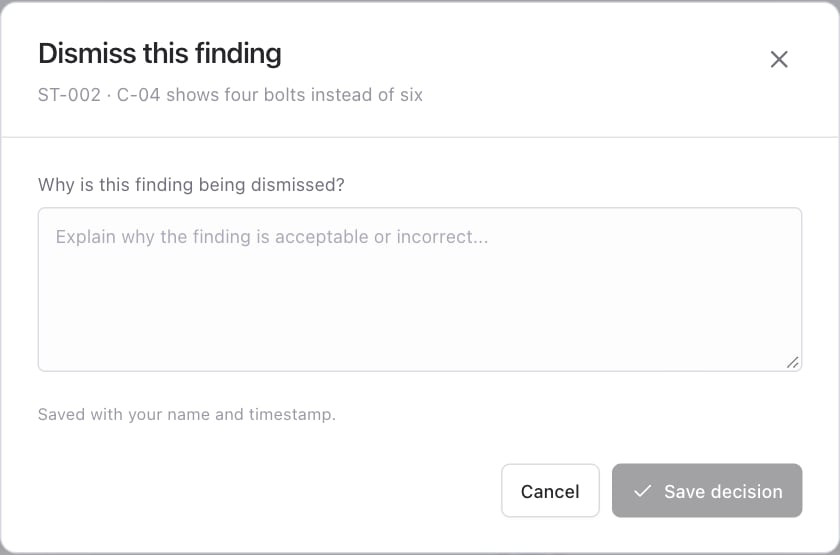
Export the review
Choose Export review in the drawing workspace. The generated PDF includes the review report and submitted drawing pages. Drawing annotations are included where the finding has a location available. The PDF opens in a new browser tab. Use the PDF viewer’s download control to save and share it. If no tab opens, allow pop-ups for Trace and retry. Exports also locate unique source quotes in PDF text and outline the submitted evidence in red. Scanned, ambiguous, or unmatched citations can have no annotation. Use the report’s quotations and page references in those cases.Download the PDF before sharing. The temporary storage link expires. Anyone who receives the downloaded file can read its contents.
Assign the engineer and record a stamp
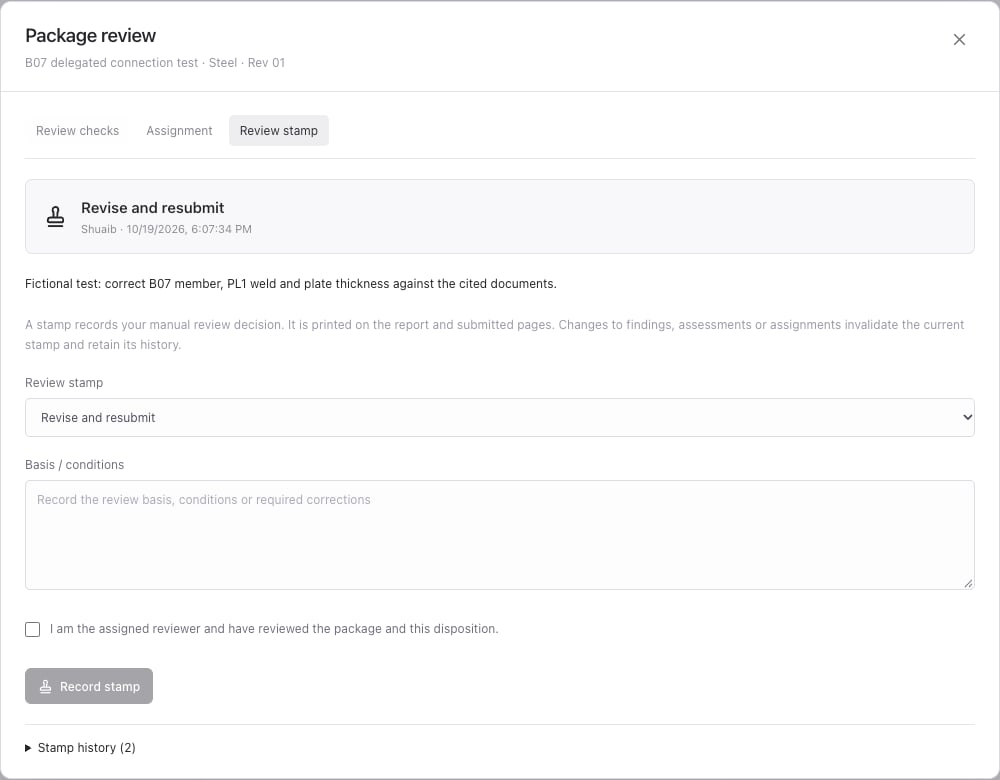
Open Package & stamp → Assignment to set Assigner (Architect) and Reviewer (Engineer). The signed-in name must match the assigned reviewer to record a checklist assessment or stamp. The account must be signed in to this workspace. Under Review stamp, choose one of:- Approved
- Approved as noted
- Revise and resubmit
- Rejected