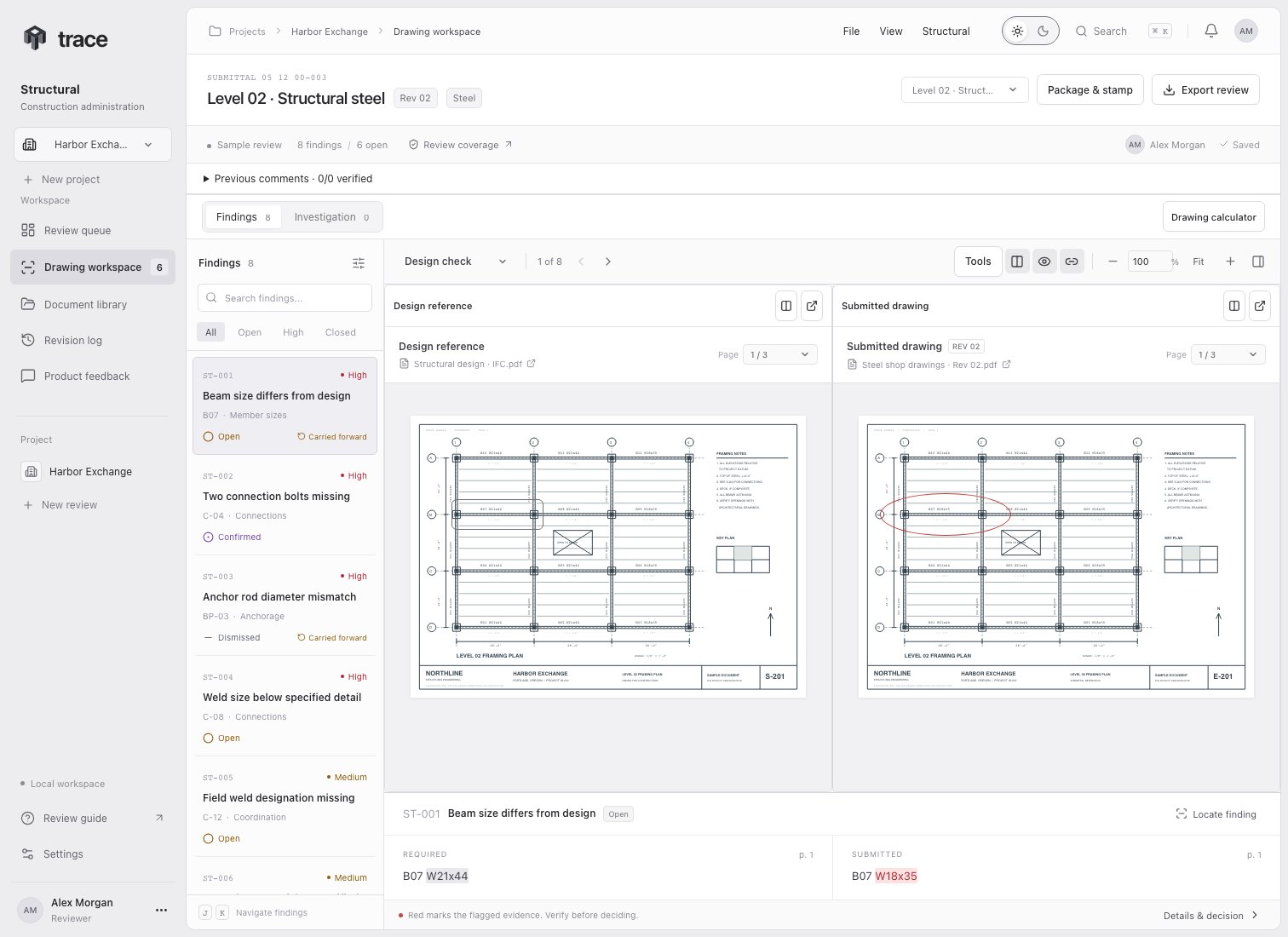
Selected beam-size discrepancy with side-by-side source drawings and readable outline markers

Read the workspace

Choose Locate finding to zoom to the cited evidence in both drawings. Use the arrows or J and K to move between findings. Both panes share the zoom setting. Scrolling is linked by relative position; use the chain button to unlink it when sheets have different layouts. Fit returns the drawings to their pane widths. The zoom percentage supports 50% through 1200% and remains in place when selecting another finding. If a previous revision was selected when creating the review, choose Previous revision in the comparison menu. Select the corresponding page in each pane manually. The evidence strip continues to compare the design requirement with the current submission.

Verify the evidence

  1. Check that the finding refers to the same member or detail in both documents.
  2. Open the cited reference page and read the actual requirement.
  3. Check the submitted page and nearby notes for context.
  4. Decide whether the discrepancy is real, acceptable, or already corrected.
A source quotation is a model-produced claim. Verify it against the PDF. Trace outlines the submitted evidence in red and the reference evidence in gray when the complete quote can be uniquely matched to the PDF text, or a saved location is available. Padded outlines leave the matching text readable. Compact mismatch callouts use circles, and longer text rows use rounded outlines. Finding IDs remain in the register, inspector and report. Scanned pages, graphical descriptions, repeated quotes, and unmatched wording can have no exact location. Trace displays Exact location unavailable for these citations. Use the page and surrounding context to verify them. The comparison shows evidence for individual findings. It does not detect or mark every visual change across the drawing set.

Priority and coverage

The queue and finding details share these colors in light and dark mode. Labels and icons remain visible.
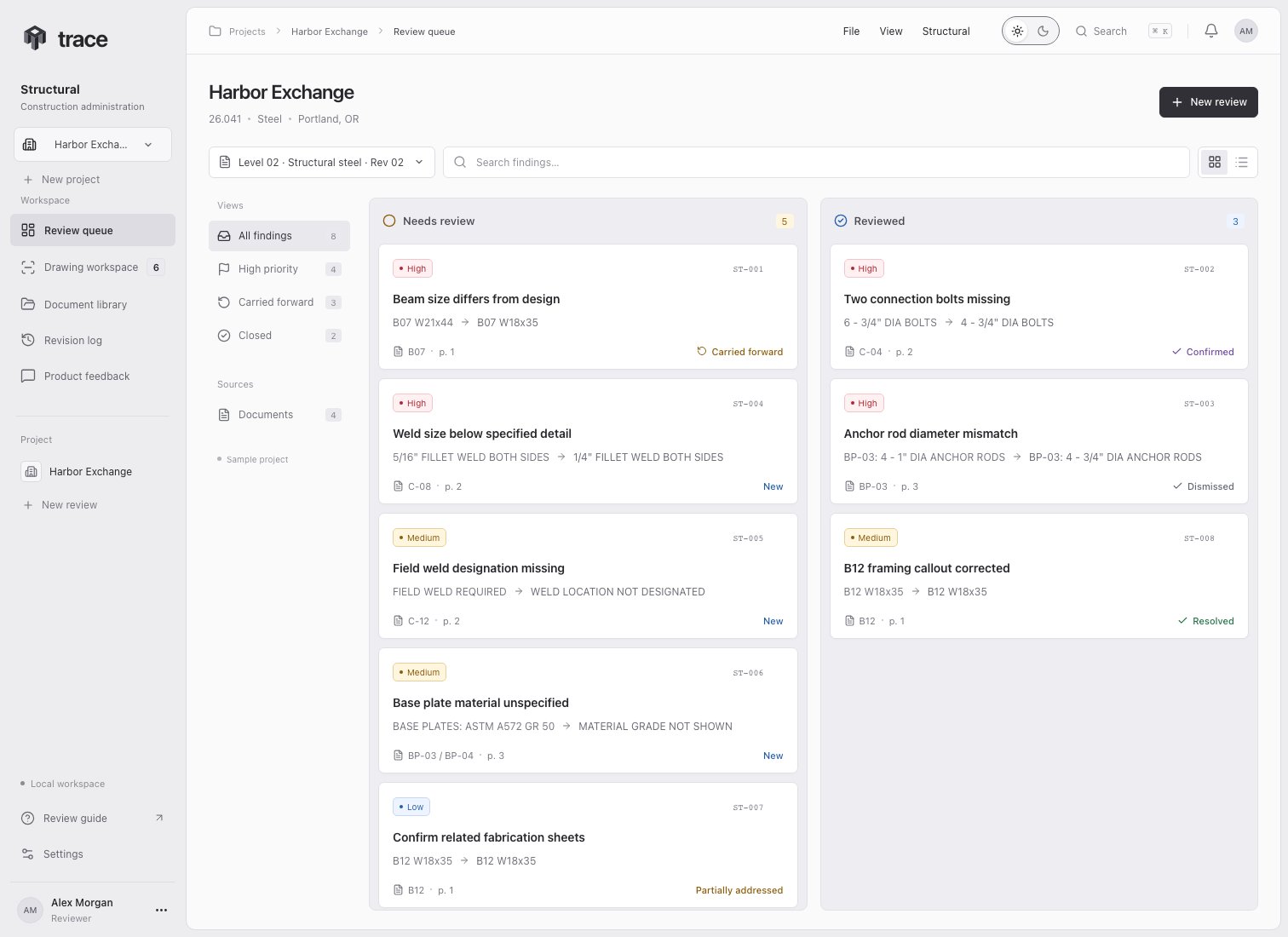
Light review queue with red High badges, amber Medium badges, blue New labels and a green Resolved decision
High, Medium, and Low help organize review attention. They are not a calculation of structural safety. Choose Review coverage to read what the review compared and what it could not verify. An empty finding list does not establish that the drawing is correct or ready for fabrication.

Review methods

Follow the source trail

New findings include their scope (New, Existing modified, Existing or Unknown), finding kind and supporting source citations when available. Details & decision shows the source trail through plans, typical details, schedules, specifications or delegated documents. Open each citation to verify that the requirement applies to this component. The comparison switches to the submitted PDF cited by the finding, including additional submittals in a multi-file package. Package & stamp shows the complete module checklist and missing-information assessments.

Piece investigation

Choose Investigation to inspect matching and unresolved bar marks alongside mismatches. Follow the piece investigation guide for status colors, engineer confirmation, source references, marked PDFs and the drawing calculator.